
Moving from Tilda
From Tilda to a full online store
Tilda is great for landing pages. When you have more products, you need variants with stock, filters, Nova Poshta waybills and PRRO receipts. We’ll transfer products from CSV and pages from the sitemap.
Start moving for free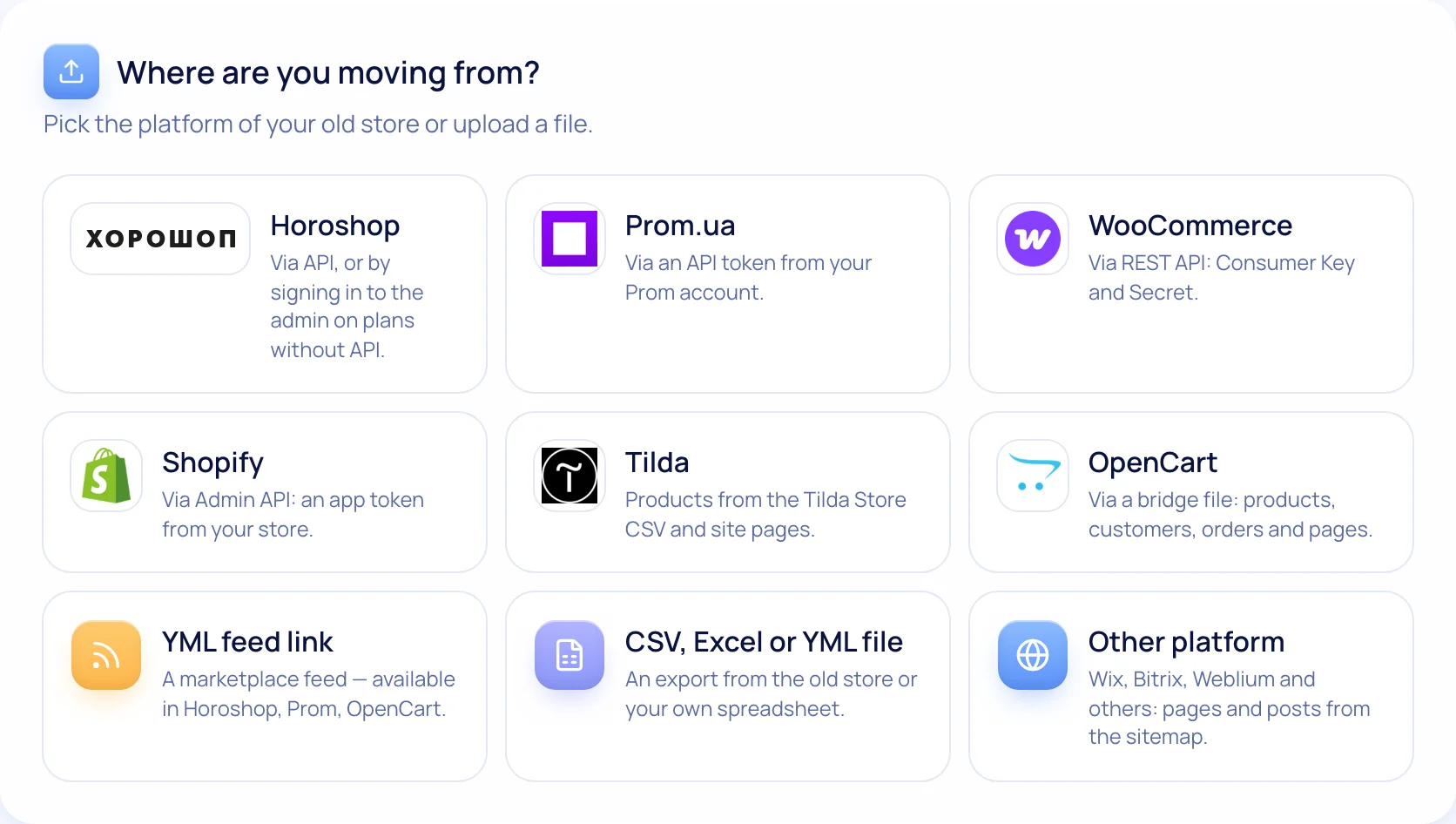
How to move from Tilda
- 1
Export the CSV
Tilda → Store → Products → “…” → Export → CSV.
- 2
Upload the file
Preview right away, no column mapping.
- 3
Pages from the sitemap
Page titles, texts and photos + 301s. Tilda block designs aren’t transferred.
- 4
Design and launch
Theme and home page blocks in our editor, then the domain.
What moves over
Catalog with variants
Size and colour with separate prices and stock, filters by attribute.
Nova Poshta at checkout
Branches from a list and waybills from the order page.
Payments and receipts
Acquiring, instalments, PRRO via Checkbox or Vchasno.Kasa.
Store SEO
Meta tag templates, product markup, filter pages.
When it’s time to leave Tilda
Signs that a landing page with a cart is too small: you track size stock by hand; buyers type addresses and branches in a comment; you issue PRRO receipts separately; every new product is a new page to lay out. If you recognise two of the four, your store needs a commerce platform, not a page builder.
Checklist for moving without losing rankings
Tick off the steps — your progress is saved in your browser.
0 of 7 done
Your ticks are saved in this browser
Migration questions
Will Google traffic drop after the move?
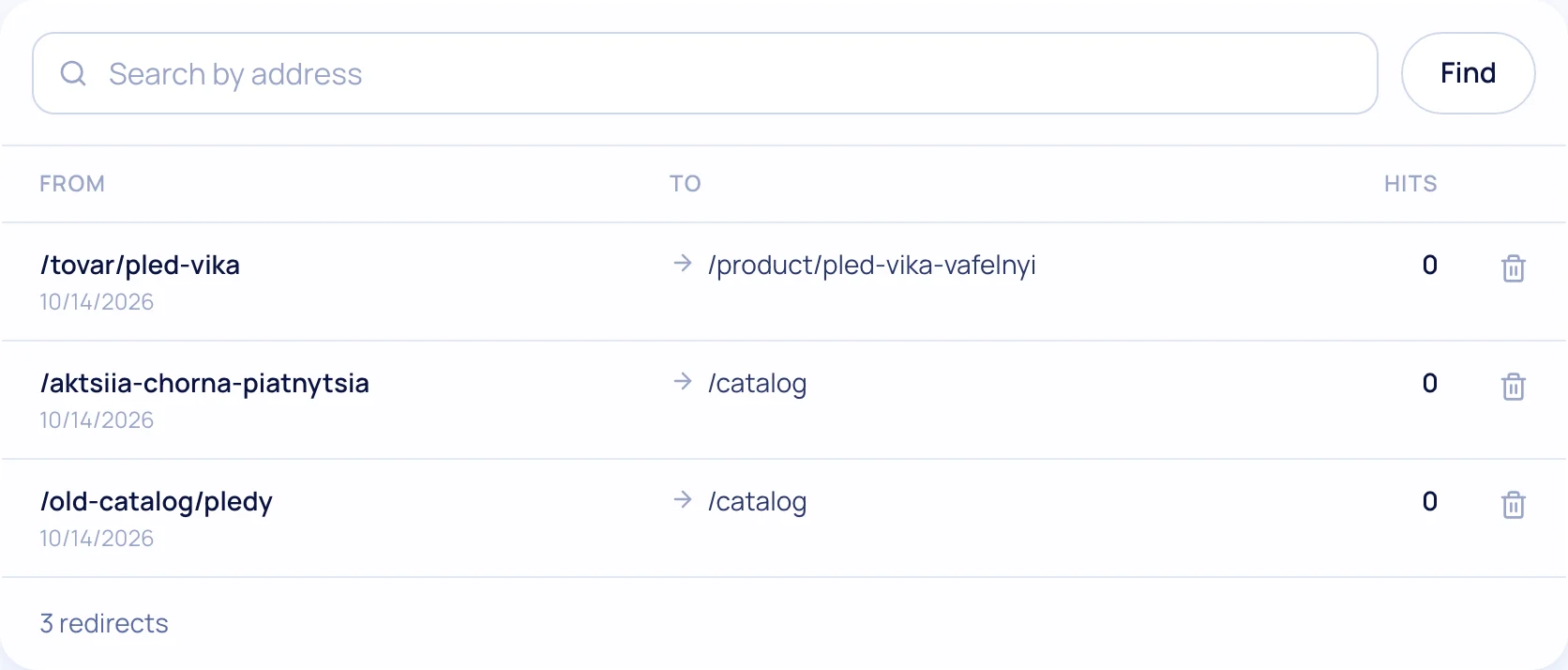
A small fluctuation in the first 1–3 weeks is normal: Google recrawls the site. For rankings to move to the new pages, every old URL gets a 301 redirect. We read the old sitemap and set 301s automatically, and show uncertain matches in a “Review” list.
Will the old site stop working?
No, not until you switch the domain yourself. Check the new store first, then switch.
Can I transfer again if I changed products?
Yes. A repeat transfer updates existing products instead of creating duplicates.
Which plan includes migration?
On every plan and during the 14-day trial.
What else the store gets
Test the move on your own catalog
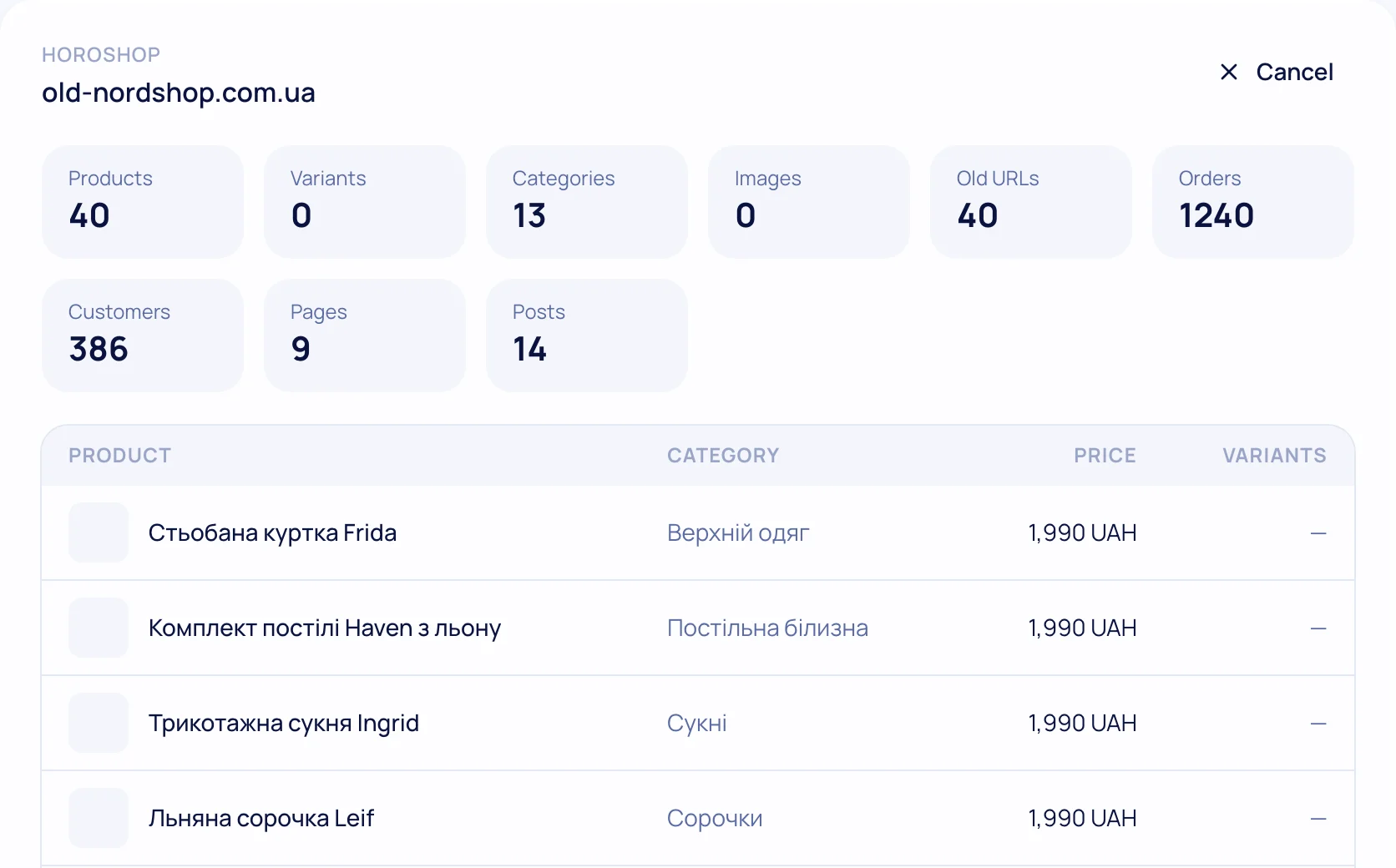
The preview shows how many products and pages will move — before you start.