
Migration
Move with your whole store history
Products, categories, images, customers, orders, pages and blog appear in your new store. Old addresses lead to the new pages with 301 redirects, so your Google rankings stay.



How it works
Four steps and you’re done
- 1
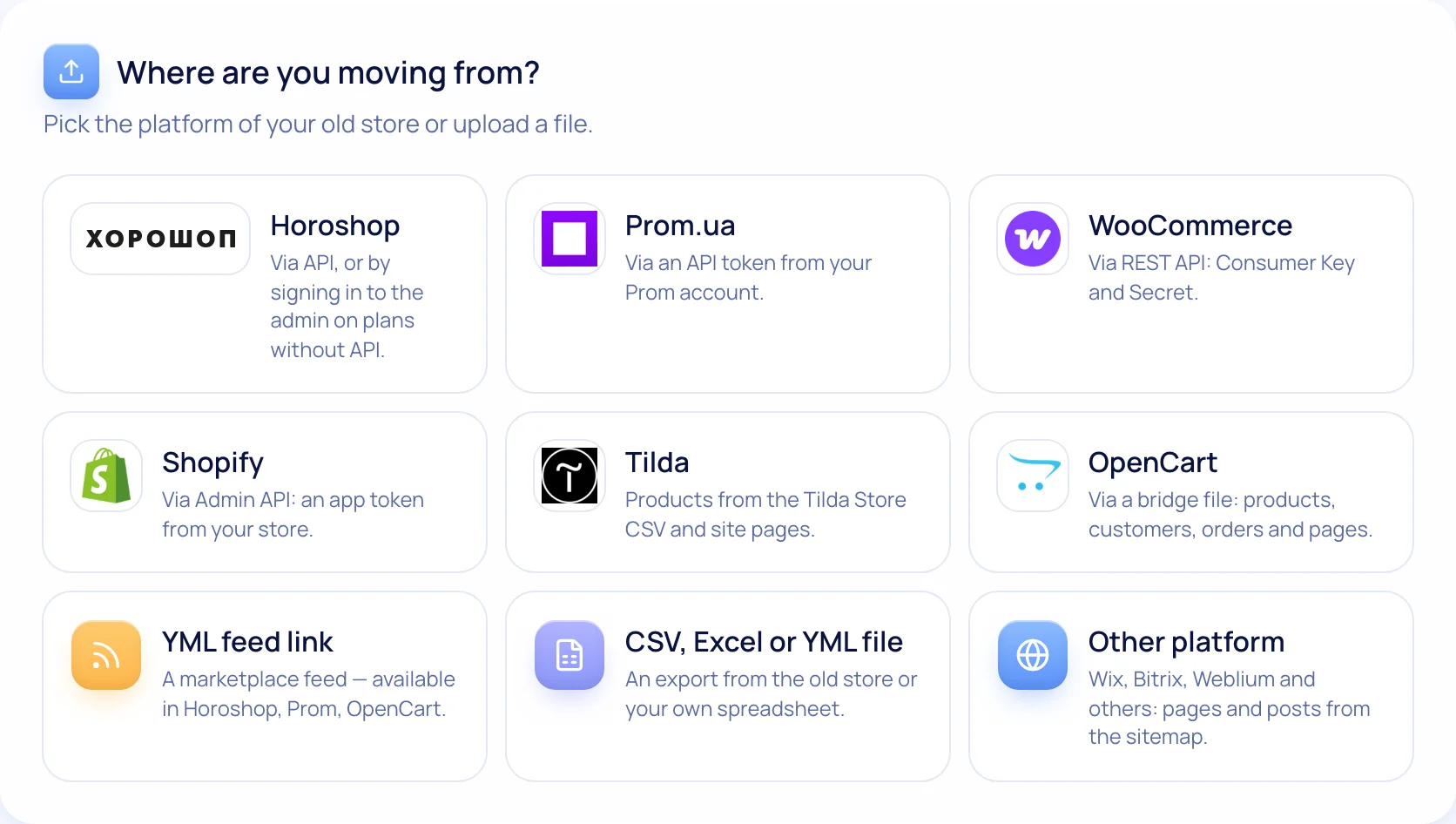
Pick the source
Horoshop, Prom, WooCommerce, Shopify, OpenCart, Tilda — or any platform via YML or Excel.
- 2
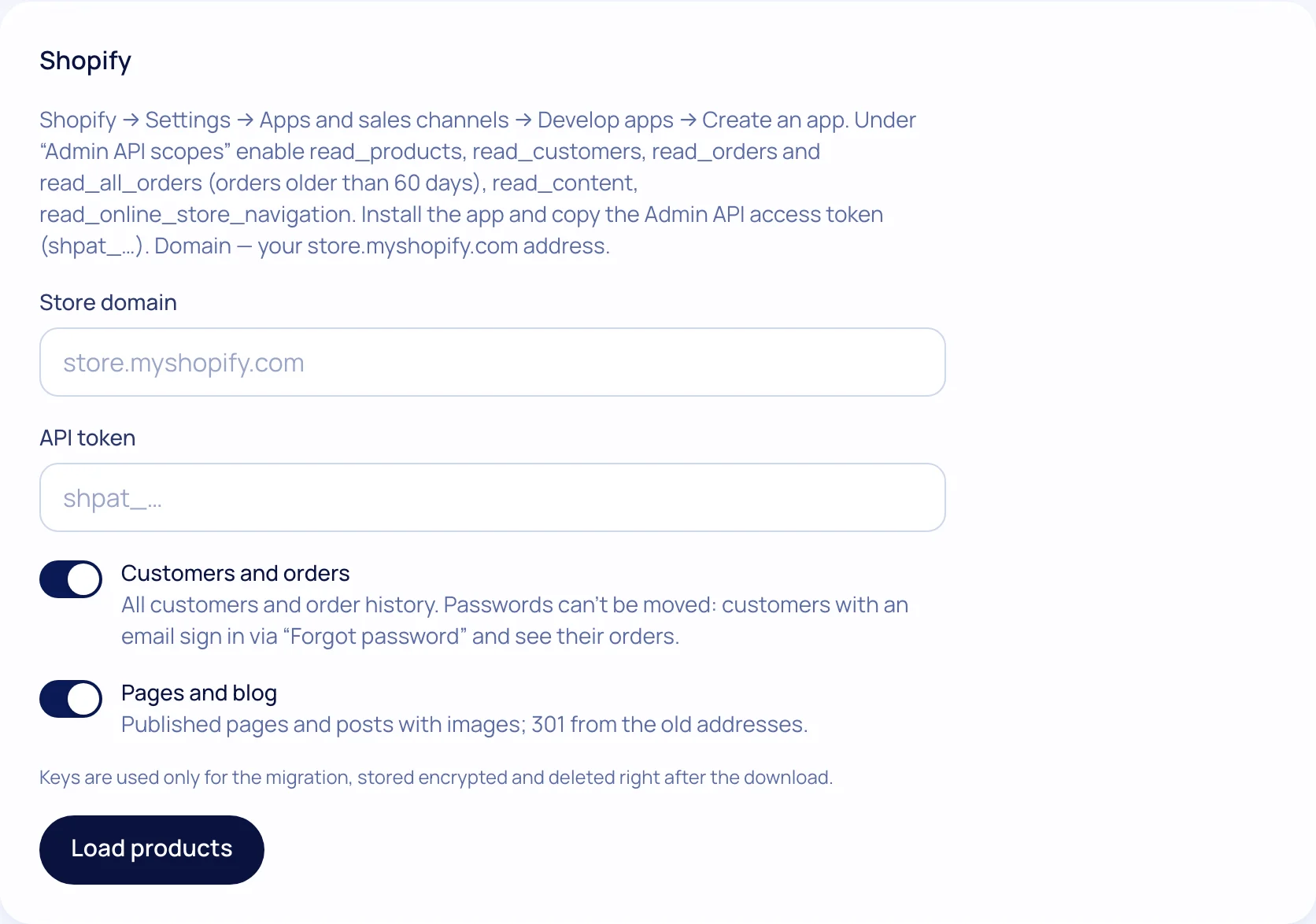
Grant access
An API key, admin login or a bridge file for OpenCart. Keys are stored encrypted and deleted after the move.
- 3
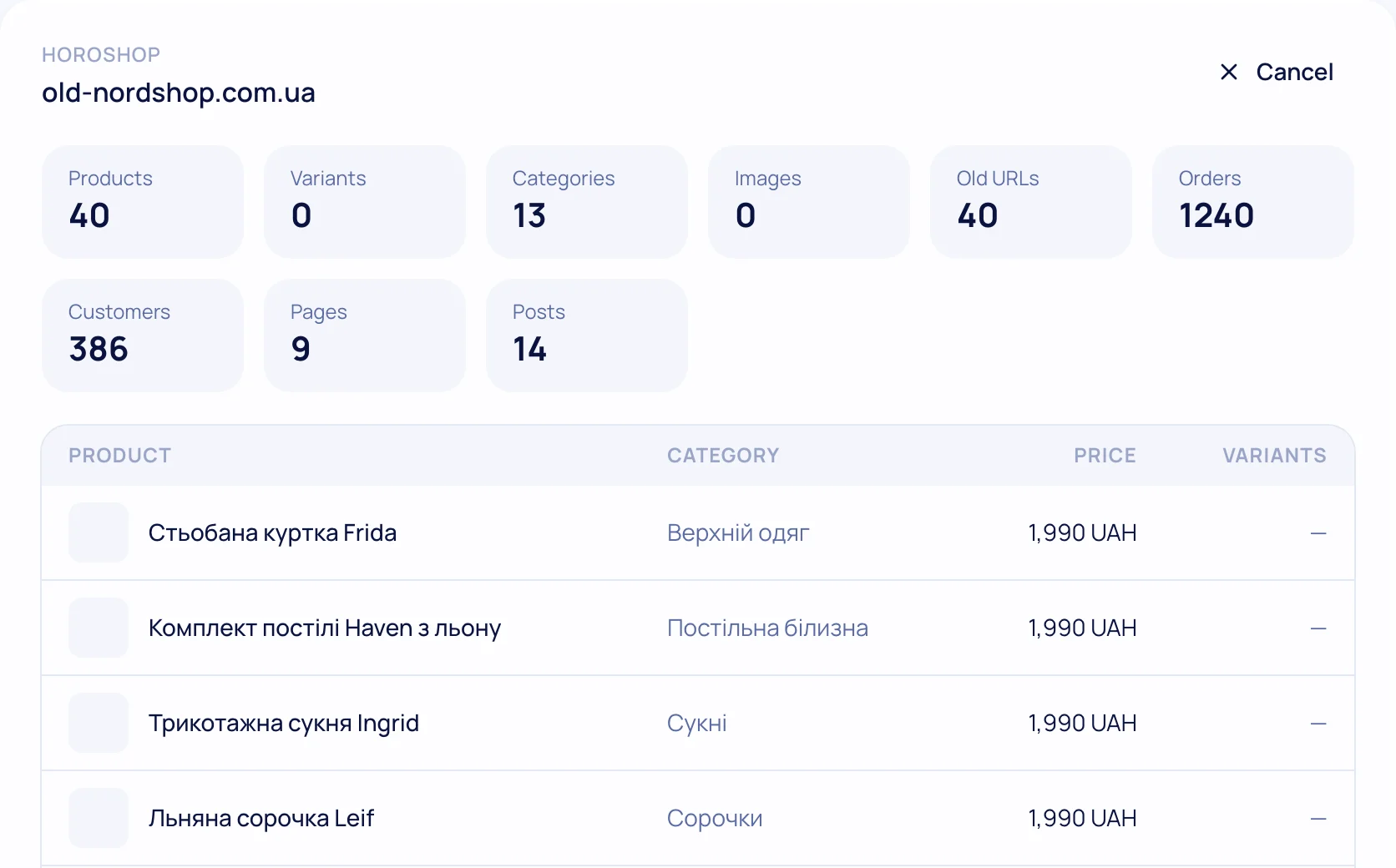
Check the preview
How many products, customers, orders and pages we found — before you start.
- 4
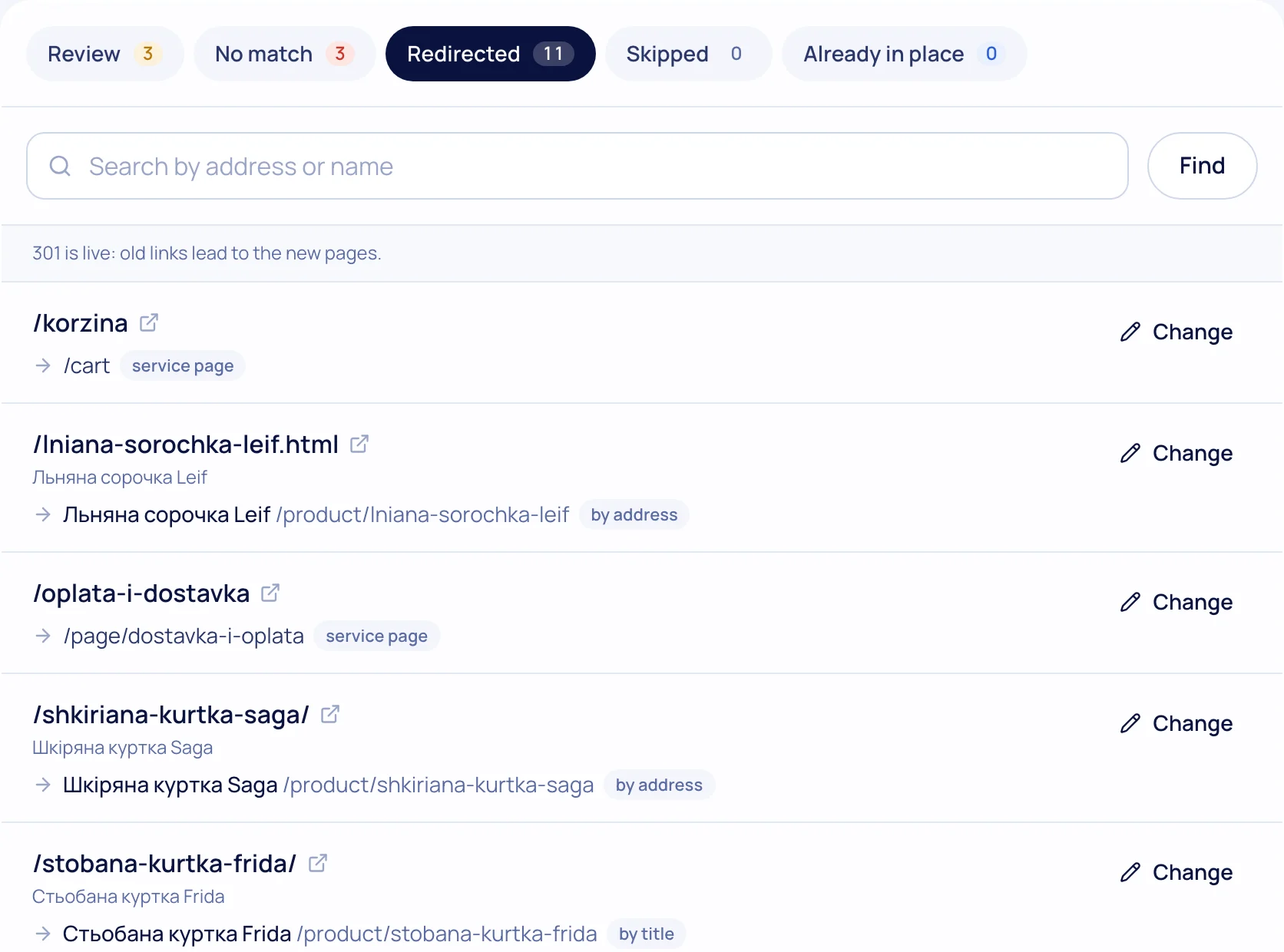
Keep your rankings
Old site map: a 301 for every address; unsure ones go to a “Review” list.
What’s included
Everything you need is already here
Full products
Variants, prices, sales, stock, images, specs, SEO and the same slugs.
Customers & orders
Order history, tracking, statuses; customers sign in via “Forgot password”.
Pages & blog
Text and images move; styling is done in our editor.
301 for every address
Products, categories, pages, service pages and addresses with parameters.
Re-run without duplicates
Running it again updates instead of creating duplicates.
Old site keeps working
Switch the domain when you have checked the new store.

Try it on your own store
14 days free on the Business plan, no card needed.