SEO for an online store: 10 steps and a checklist for 2026
What to do so your store gets buyers from Google: an indexable site, structure built around queries, meta tag templates, markup, speed, 301s, reviews, a blog and Merchant Center.
Команда TRUNLY3 min read

SEO for an online store isn’t “texts with keywords” — it’s a system: pages that match how people search, technical cleanliness and trust. Below is what to do first so your store starts getting buyers from Google without paying for every click.
1. The site must be open to search engines
It sounds obvious, but it’s the most common and most expensive mistake. Check that pages aren’t blocked with a noindex tag, robots.txt doesn’t disallow the catalog, and the sitemap (sitemap.xml) is submitted to Google Search Console. The “Pages” report shouldn’t show mass errors.
2. Structure around search queries
People don’t search for “catalog” — they search for “women’s sneakers size 38” or “wool blanket”. Every popular query should lead to its own page:
- categories — for broad queries (“dresses”, “blankets”);
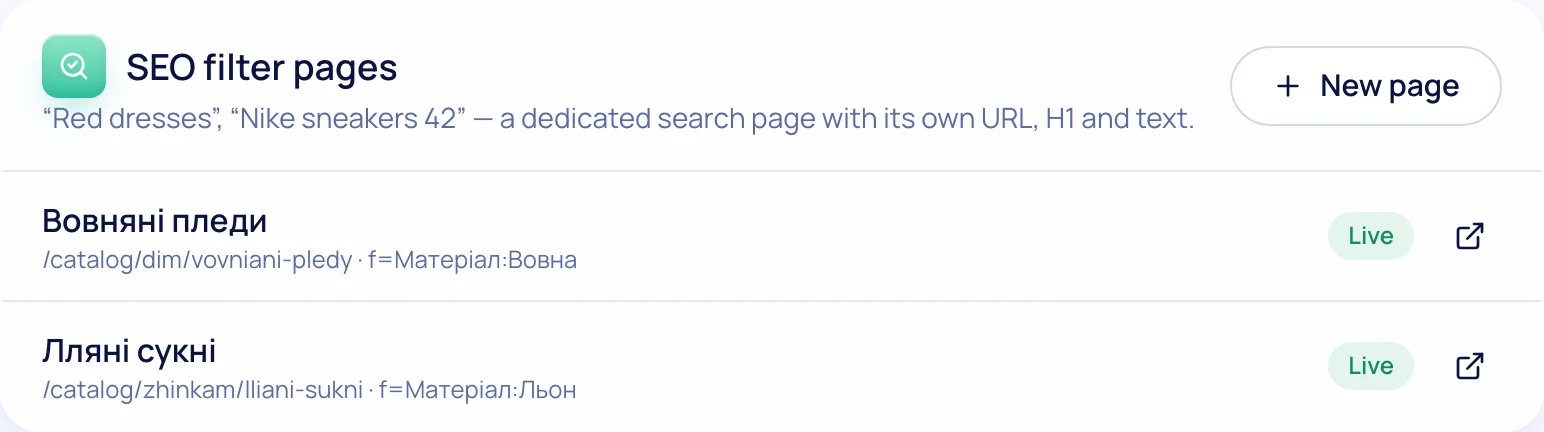
- filter pages — for refined ones (“linen dresses”, “wool blankets”): a separate URL, its own title and a short text;
- brands — for queries with a brand name;
- products — for exact model names.
3. Titles and descriptions for thousands of pages
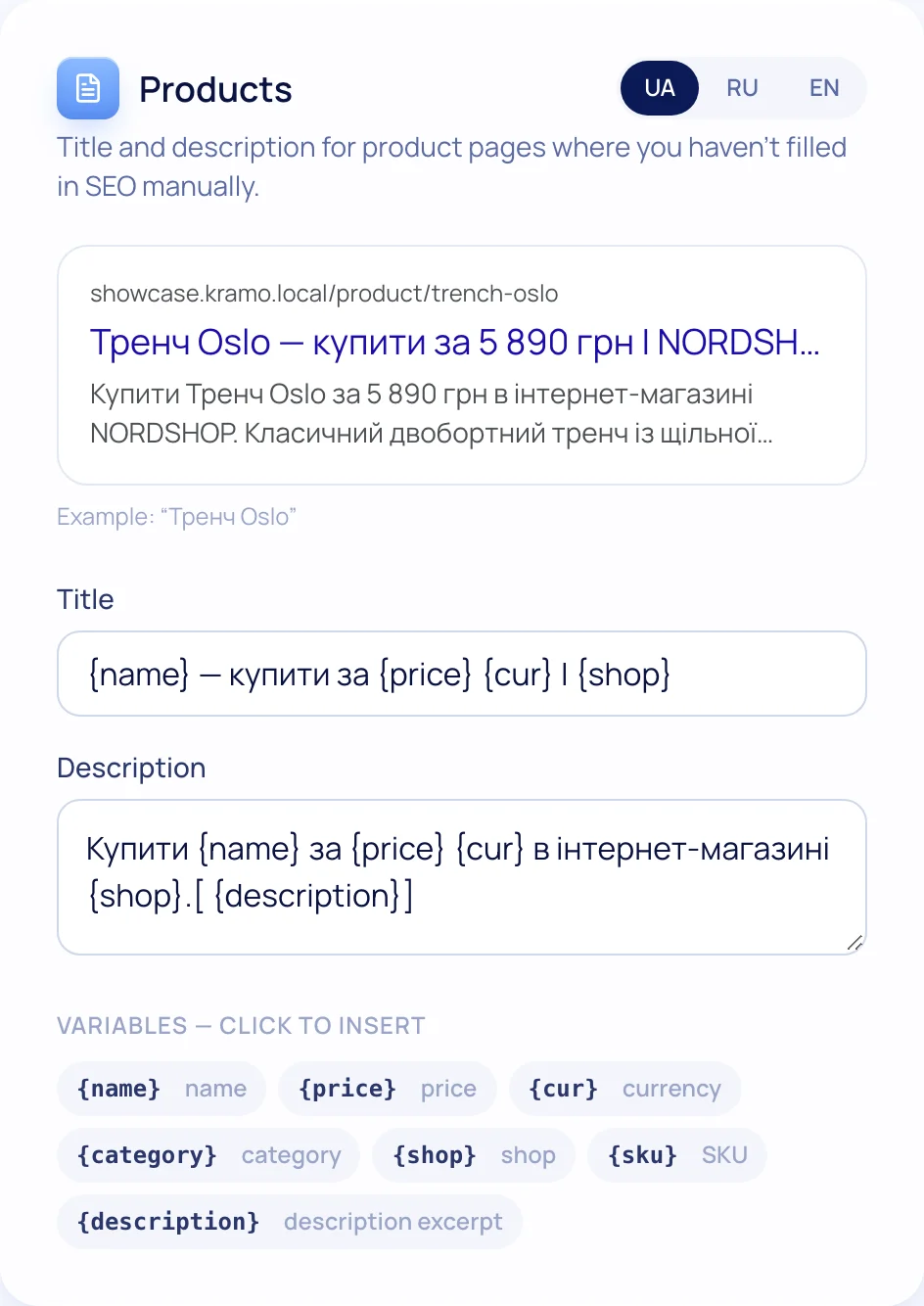
Writing them by hand for every product isn’t realistic. Use templates: “{name} — buy for {price} UAH with delivery across Ukraine”. Write by hand only for main categories and the most popular products — where it pays off most.
4. Category texts — short and to the point
Not a wall of keywords at the bottom of the page, but 3–5 sentences that help people choose: what’s in the category, how to pick a size, delivery terms. Such text is useful both to people and to Google.
5. Product markup
Structured data (schema.org) shows Google a product’s price, availability and rating. That’s how stars and prices appear in search results — and people click your result more often.
6. Speed and the mobile version
Most buyers visit from a phone. Photos in WebP at the right sizes, no heavy third-party scripts, a bottom navigation bar — a fast store ranks better and sells more.
7. A 301 every time a URL changes
You renamed a product and its URL changed — the old one must lead to the new one with a 301 redirect. Otherwise links from Google and social networks lead to a 404, and rankings disappear.
8. Reviews with photos
Reviews are fresh unique text on the product page, stars in the markup and trust. Ask buyers for a review automatically after delivery.
9. A blog for informational queries
“How to choose a sneaker size”, “Which is better: wool or acrylic” — people searching for these are about to buy. An article with the answer and links to categories brings them to you.
10. Google Merchant Center
Products in Google Shopping are an extra free channel wherever Google shows free product listings. The guide is in “Google Merchant Center for an online store”.
SEO checklist
Online store SEO checklist
0 of 12 done
Your ticks are saved in this browser
What TRUNLY already does for you
Sitemap and robots are generated automatically, product and breadcrumb markup is built in, canonical and hreflang remove language duplicates, a 301 is set when a URL changes, and photos are stored in WebP. You’re left with the interesting part — structure, texts and reviews. More on the “SEO” page.
Questions and answers
Where do I start with SEO for an online store?
Check that the site is open for indexing and the sitemap is submitted to Search Console. Next — a structure of categories and filter pages built around queries.
Do categories need SEO texts?
Short ones, 3–5 sentences that help people choose. Long keyword-stuffed texts help neither people nor Google.
How long until traffic from Google appears?
For a new site, the first impressions come within a few weeks, steady traffic after 3–6 months of work on the pages.